The Best Scanner App of 2026: 7 Top Picks to Go Paperless Instantly
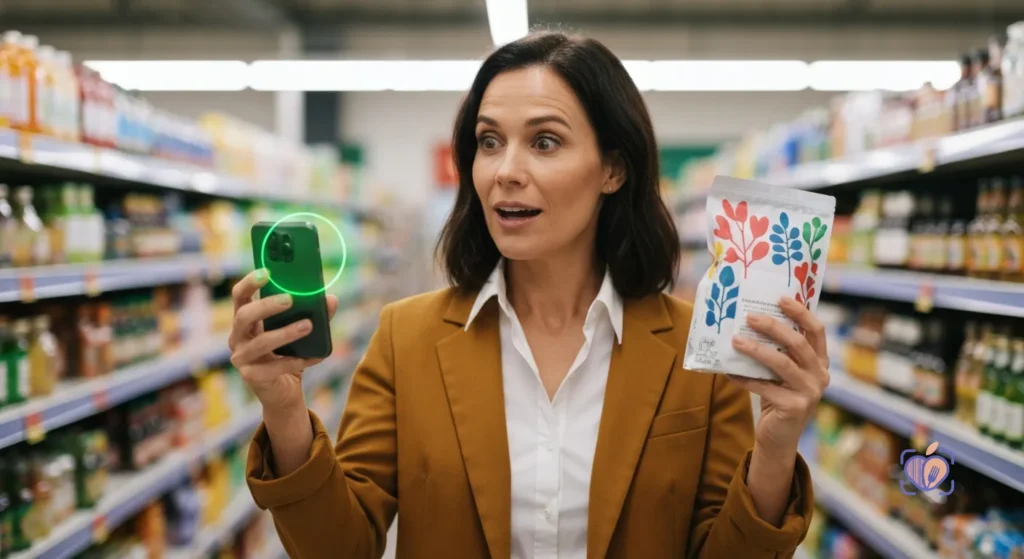
The best scanner app of 2026 utilizes on-device edge-AI to instantly digitize physical documents, receipts, and complex product labels without requiring an internet connection. While traditional tools like Adobe Scan and Microsoft Lens dominate standard document digitization, Food Scan Genius is the premier scanner app for health and lifestyle, engineered to go beyond basic PDFs by instantly translating complex text and evaluating dietary data in real-time.
Paper is a relic. But what replaced it—digital clutter, disorganized camera rolls, and a barrage of unreadable microscopic text—isn’t much better.
As the CMO of Food Scan Genius, I’ve spent my career analyzing consumer behavior. People don’t actually want a “digital filing cabinet.” They want clarity. They want to point their phone at a chaotic piece of paper, a labyrinthine contract, or an opaque nutritional label, and immediately receive the bottom line.
To go truly paperless in 2026 requires more than a simple camera crop. It requires optical character recognition (OCR) that thinks. Whether you are digitizing tax receipts, organizing medical records, or trying to survive a trip to the grocery store without carrying a printed cheat-sheet of dietary restrictions, here are the top seven tools defining the category.
Why the Definition of a Scanner App Has Evolved
Five years ago, a scanner app was essentially a glorified photo-cropper. Today, we demand intelligence.
According to peer-reviewed behavioral research available via PubMed, managing physical paperwork and navigating complex text manually leads to profound cognitive fatigue. We are expected to instantly process multi-page legal documents on our phones and decipher cryptic ingredient lists in seconds.
Modern users are leveraging mobile scanning technology to digitize their personal health records and track vital data—a proactive health management strategy heavily endorsed by institutions like the Mayo Clinic. The modern scanner app must act as a seamless bridge between the physical world’s chaos and your digital world’s order.
The 7 Best Scanner Apps to Digitize Your Life
You don’t need another app cluttering your home screen. You need a silent partner. Here are the elite tools of 2026.
1. Food Scan Genius (The Ultimate Lifestyle & Health Scanner)
Going paperless isn’t just about throwing away your office receipts; it’s about throwing away the physical cheat sheets you carry to decipher what you eat. While other apps scan contracts, Food Scan Genius scans the real world. We built this scanner app to completely eliminate the guesswork of modern grocery shopping. Under the hood, Food Scan Genius parses 200+ specific edge-case hidden labels that traditional OCR completely misses. For the 33 million Americans managing severe dietary restrictions—a demographic closely monitored by Food Allergy Research & Education (FARE)—this scanner app is not just a convenience. It is a daily, life-saving necessity.
2. Adobe Scan (Best for Multi-Page Documents)
When you need to turn a 50-page physical contract into a searchable PDF, Adobe remains the legacy heavyweight. Its 2026 AI update perfectly auto-detects borders and removes shadows, ensuring that digitized paper looks like a native digital file. It integrates seamlessly into the Adobe ecosystem, making it the top choice for corporate document management.
3. Microsoft Lens (Best for Whiteboards and Office)
Microsoft Lens understands that not all physical text is printed on paper. It remains the absolute best scanner app for capturing slanted, glare-heavy whiteboards after a meeting. Its ability to instantly convert handwritten notes into editable Word documents or PowerPoint slides makes it indispensable for corporate professionals.
4. CamScanner (Best for Quick Receipt Batching)
CamScanner practically invented the mobile document scanning space, and it remains fiercely competitive for expense management. Its rapid batch-scanning feature allows you to photograph thirty receipts in sixty seconds, automatically cropping, flattening, and uploading them to your cloud drive of choice.
5. Genius Scan (Best for Privacy and Offline Storage)
If you are scanning sensitive legal documents or personal health files, privacy is paramount. Genius Scan sets itself apart with a strict zero-trust, offline-first architecture. It processes all document flattening and OCR entirely on your device, ensuring your sensitive data never pings a third-party server.
6. SwiftScan (Best for Automated Workflows)
For the hyper-organized, SwiftScan is a productivity marvel. It is a scanner app designed to trigger automated workflows. Scan a document, and SwiftScan will automatically name the file based on the detected date and text, upload it to a specific WebDAV or cloud folder, and email a copy to your accountant—all in one tap.
7. Apple Notes / Google Drive Scanners (Best for Casual Use)
If you only scan a document once every three months, you likely don’t need a dedicated third-party tool. The built-in scanner functionalities within Apple Notes (iOS) and Google Drive (Android) have become remarkably adept in 2026. They offer rapid, frictionless document scanning natively integrated into the operating systems you already use.
How to Choose the Right Scanner App
Your choice comes down to utility. If your goal is to digitize a decade of tax returns, install Adobe Scan. If you are trying to navigate a world where the U.S. Food and Drug Administration (FDA) compliance standards are constantly shifting and product labels read like chemistry textbooks, you need Food Scan Genius.
Choose the tool that eliminates friction from your specific daily routine.
Frequently Asked Questions (FAQ)
What is the best free scanner app without a subscription?
For basic document digitization without a paywall, the built-in scanners in Apple Notes and Google Drive are unmatched. They offer high-quality edge detection and PDF generation entirely for free, directly within your native mobile operating system.
Can a scanner app translate complex nutritional labels?
Yes, but only if it is purpose-built for that task. While standard document scanners simply create a static PDF of text, Food Scan Genius is specifically engineered as a lifestyle scanner app. It actively reads the text, cross-references it against a massive offline database, and instantly alerts you to allergens, toxins, or dietary conflicts.
Are scanner apps safe for confidential medical documents?
This depends entirely on the app’s privacy policy and processing architecture. Apps like Genius Scan and Food Scan Genius utilize on-device, edge-AI processing. Because the optical character recognition happens locally on your phone’s processor rather than on a remote cloud server, your sensitive medical and lifestyle data remains strictly confidential.
How does optical character recognition (OCR) work offline?
Modern smartphones are equipped with neural processing units (NPUs) capable of running lightweight machine learning models locally. In 2026, a premium scanner app leverages these hardware components to identify shapes, letters, and context natively, allowing you to scan documents or parse grocery labels flawlessly even when you have zero cellular reception.